Indexly Organizer – Profile-Based, Auditable File Organization
Categories:
Key Capabilities at a Glance
- Profile-based file classification
- Safe, collision-aware file movement
- Dry-run planning (no side effects)
- Structured, indexable JSON logs
- Hash-based integrity tracking
- Audit-ready history of changes
- ✅ Business-rule aware classification (via
rename-file --business-naming)
Profile-Based Organization
Profiles represent real-world domains, each with its own logic and structure:
--profile {it,researcher,engineer,health,data,media,business}
Each profile defines rules, not hardcoded paths. This allows the Organizer to adapt naturally to different workflows.
🏢 Business Profile (Extended)
The business profile now supports structured financial and administrative organization.
It includes predefined logical structures such as:
Business/
├─ Admin/
├─ Finance/
│  ├─ Accounting/
│  ├─ Taxes/
│  ├─ Banking/
│  ├─ Reports/
│  └─ Archive/
├─ Invoices/
│  ├─ Outgoing/
│  │  ├─ Paid/
│  │  ├─ Unpaid/
│  │  └─ Overdue/
│  └─ Incoming/
├─ Receipts/
├─ Contracts/
├─ Projects/
└─ Archive/
Multiple operational modes are supported:
defaultsoloemployer
These define slightly different scaffolds depending on business scale.
Business Rule Integration (Renaming + Classification)
The Organizer now integrates seamlessly with business-rule based renaming via rename-file.
Instead of manually preparing filenames, you can:
- Rename using business heuristics
- Automatically classify into Business profile folders
- Audit everything in one run
Heuristic-Based Classification
The business rule uses keyword detection to infer document type:
| Category | Example Keywords |
|---|---|
| Invoice | invoice, inv, rechnung, bill, facture |
| Tax | tax, vat, ust, mwst, steuer |
| Receipt | receipt, beleg, quittung |
| Contract | contract, agreement, nda |
| Payroll | payroll, salary, lohn, gehalt |
If no keyword is detected, the CLI prompts the user interactively.
Rename → Organize (Seamless Workflow)
You may now rename and organize in a single command:
indexly rename-file . \
  --business-naming \
  --pattern "{prefix}-{date}-{title}" \
  --organize \
  --profile business \
  --classify \
  --dry-run
What Happens
-
Files are renamed using business rules.
-
Prefixes (e.g.,
vat,inv,receipt) are inferred or prompted. -
Organizer classifies them into:
Business/Finance/TaxesBusiness/Invoices/Outgoing/Paid- etc.
-
A full audit log is generated.
This creates a rename → classify → audit pipeline.
Two-Phase Workflow (Still Recommended for Large Imports)
Indexly Organizer remains intentionally two-phase.
Phase 1 – Create the Structure
indexly organize ./workspace --profile business --apply
Phase 2 – Classify Files
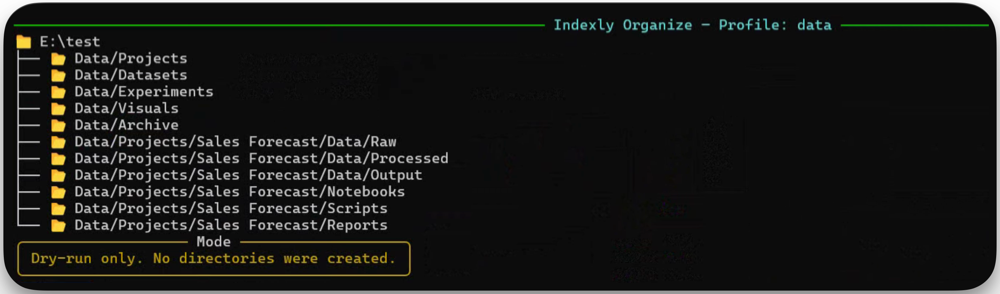
indexly organize ./incoming --profile business --classify --dry-run
Apply safely:
indexly organize ./incoming --profile business --classify --apply
Move-Only Classification Policy
Unchanged.
Classification equals relocation.
- Files are moved
- No overwrites
- Collision-safe renaming (
file.pdf → file_01.pdf) - Parent directories auto-created
Dry-Run Planning (No Side Effects)
indexly organize ./incoming --profile business --classify --dry-run
This works independently — or after a rename operation.
Logging & Auditing
Every rename + organize chain generates:
- Original filename
- Final filename
- Destination path
- Hash
- Rule applied
- Execution context
Logs remain fully indexable.
Mental Model (Updated)
Think of Indexly Organizer as:
A careful financial assistant who first standardizes document names, then files them correctly, records every action, and ensures nothing is overwritten.
Now with business-rule intelligence.
Indexly Organizer: organize files once, understand them forever.